NEW Tricaster
TCXD 850 Extreme available
Protect you investment on the road with a
Tricaster hardshell road case
Check out our hard shell road cases
for Tricaster at the botom of the page.
|
TriCaster ™ STUDIO |
|
Broadcasters, major-league sports teams, corporations,
schools and churches have come to rely on the
award-winning TriCaster STUDIO for portable live
production and live web streaming with photo-real live
virtual sets. TriCaster STUDIO is a live production
workhorse delivering the ability to live switch between
six cameras with real-time chroma keying, live titling,
audio mixing, live video streaming and more. In TriCaster
STUDIO you have all of the power of a broadcast control
room in one simple to use broadcast appliance.
The LiveSet virtual set technology in TriCaster STUDIO
allows you to achieve the look of a sophisticated studio setting
within a very small studio space without the need for external
equipment. Price $CALL for Price |
 |
|
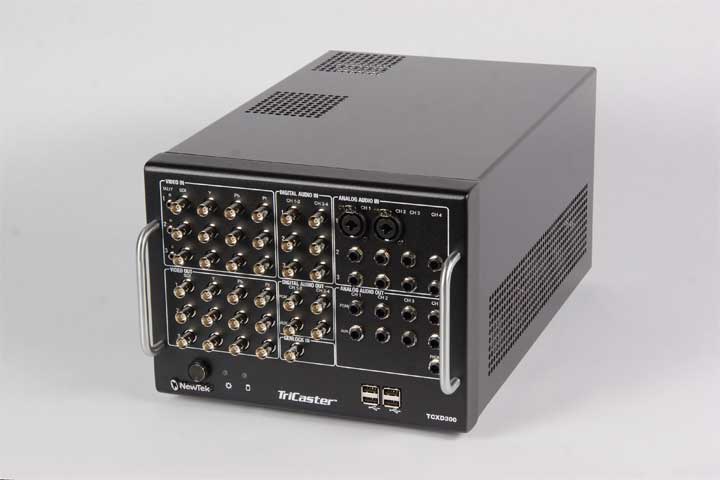
TriCaster™ TCXD300 |
| High definition (HD), live,
multi-camera video production no longer exists only in the
realm of big television studios or giant production trucks
with banks of monitors, miles of cables, tape machines,
video recorders, video effects generators, titling
stations, audio mixers and more. Today, all of that power,
quality and potential exists in a 20-pound box small
enough to fit in a backpack with the flexibility for one
person or a small team to deliver network-quality video.
TriCaster™ TCXD300 makes it possible for you to broadcast,
project, live stream or record full HD programming.
TriCaster TCXD300 is a high definition,
network-quality portable live production solution. In one
small box you gain multi-channel HD switching, HD
network-style virtual sets, HD titling, HD digital disk
recording, audio mixing, HD editing, full HD streaming and
more.
Includes FREE Training DVD
Price $Call for Price |
 |
|
TriCaster™ TCXD 450 |
TriCaster™ 450
lets you connect up to four cameras. Get
full coverage. It's easy. On your own or with a
team. No production is too big or too complicated. Paired
with the optional TriCaster 450 CS
control surface, and the TriCaster 850 TW,
you get a hands-on connection to
every source and function. 14-channel
live production. Multi-definition video
support in resolutions up to 1080p.
Stream live to the Web in resolutions up to 720p
- with the push of a button. Apple® AirPlay®
support to deliver video and audio into your live
production, with iOS devices like iPod®, iPad® and iPhone®.
iKnow. It's cool.
Price $Call for Price |
 |
|
TriCaster™ TCXD450
Extreme |
TriCaster™ 450
EXTREME™ and the optional
TriCaster 450 CS control surface give you a
hands-on connection to live production.
Source for source. Function for function.
This 14-channel, 2U rack mount HD
portable live production system is designed to go
on the road or in the rack. It
has a slim new price, too. It features IsoCorder™
technology that lets you record up to
four channels, simultaneously. You can
even go wireless with Apple® AirPlay® support
and deliver video and audio from iOS devices, like
iPad®, iPod®, and iPhone®. iKnow.
It's cool.
Price $Call for Price |
|
|
TriCaster™ TCXD850 |
|
TriCaster™
TCXD850 is designed to meet the most demanding high
definition (HD) production requirements. Packing the
capabilities of a network television studio into a
versatile, 4U rack mount system, TriCaster TCXD850 is also
suitable for desktop and portable live production. With
the ability to simultaneously broadcast, live stream,
project and record network-quality HD video, TriCaster
TCXD850 allows you to get your message to a global
audience, quickly and easily. Now, you are free to build
your brand, extend your reach and increase your
advertising inventory and sponsorship revenue – anytime,
anywhere.
Price $Call for Price |
 |
|
TriCaster™ TCXD850 extreme |
|
TriCaster™
850 EXTREME™ with multi-track IsoCorder™ video recording
technology. Record up to eight channels of video. Any
input or output. Multiple formats include QuickTime®,
H.264, AVI and MPEG-2. Adjustable audio headroom.
Push-button video delivery in up to 1080p. Stream live to
the Internet and other digital media in up to 720p. Go
wireless with Apple® AirPlay® support for iPad®, iPod® and
iPhone®. iKnow. It’s cool.
Price $Call for
Price |
|
|
LiveControl LC 11
|
|
For a physical connection to each input during your live
presentation, NewTek offers LiveControl with large,
back-lit, easy-to-read buttons allowing for easy
transition from one source to the next without looking
down or using a keyboard or mouse. All camera, picture,
video, and network sources can be placed on either the
Live or Preview row. Quickly choose your title, picture,
or transition using the rotary dials. Use the T-bar to
manually transition sources. Price is $Call
For Price |
 |
|
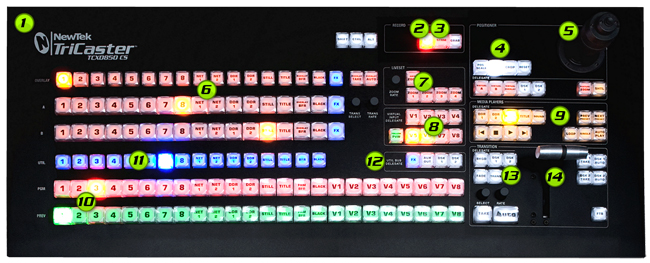
LiveControl CS 850 Controller |
|
For a physical connection to each input during your live
presentation, NewTek offers LiveControl with large,
back-lit, easy-to-read buttons allowing for easy
transition from one source to the next without looking
down or using a keyboard or mouse. All camera, picture,
video, and network sources can be placed on either the
Live or Preview row. Quickly choose your title, picture,
or transition using the rotary dials. Use the T-bar to
manually transition sources. Price is $Call
for Price |
 |
|
TimeWarp 850 |
|
Slow motion and instant replay are at your
fingertips with TriCaster 850 TW connected to your TriCaster system.
Take control of your Media Players and take your event production to a
whole new level. Select, mark and playback clips at various slow
motion speeds. Add an operator for the TriCaster 850 TW and you'll
have the freedom of instant replay, while you continue to record your
program. Compatible with the TriCaster 850 models, TriCaster 450
models and TriCaster 300
Price $Call for Price |
 |
|
LiveText 2 |
|
Slow motion and instant replay are at your fingertips with
TimeWarp connected to your TriCaster system. TimeWarp
allows you to select, mark and playback clips at various
slow motion speeds. Expand your team with a TimeWarp
operator and you will enjoy the freedom of instant replay
while you continue to record your program. TimeWarp takes
your sports and event production to a whole new level.
Price $Call for Price |
 |
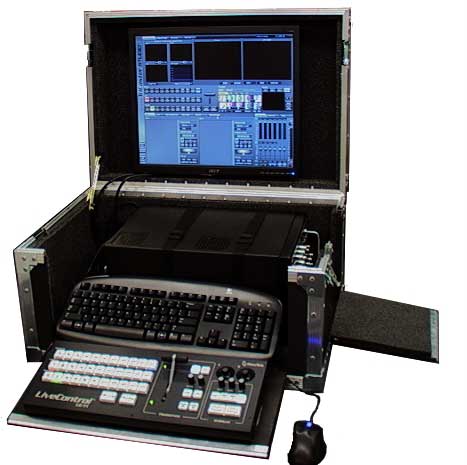
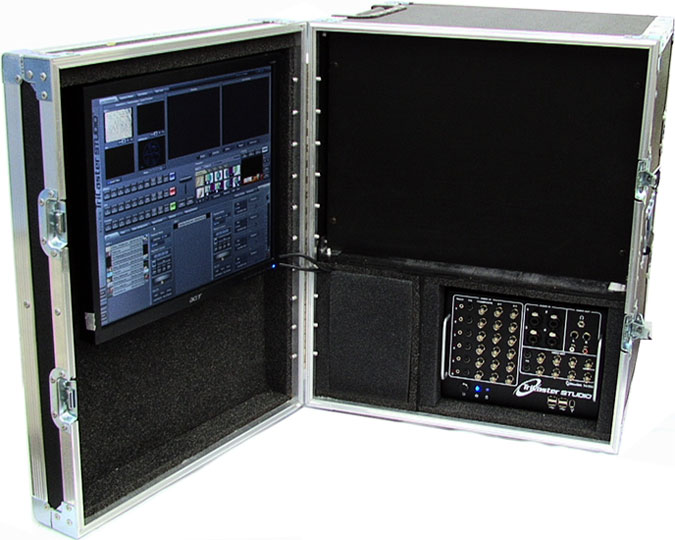
Tricaster PLP series Road Case
 |
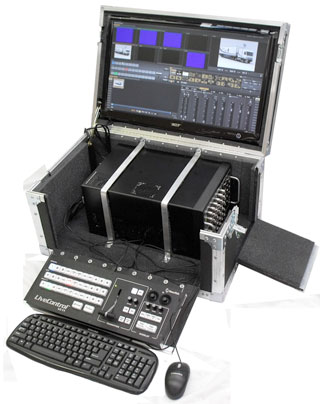 |
| Shown with 19" LCD
Monitor |
With 24" LCD Monitor Perfect
for TCXD 300
|
|
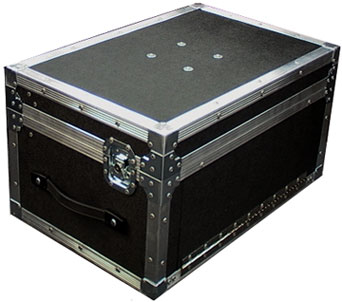
Designed to be a more compact footprint
Tricaster PLP Hard shell case with your
choice of Built
in 19", 24" LCD Monitor
Retail Price $795.00 with
19" monitor
Retail Price $995.00 with
24" monitor
$45 Flat Rate
Shipping (Continental
US)
When ordering please specify your
TriCaster Model as there are different size foam cutouts for
different models
Request Studio for the Studio, Broadcast, XD300 or 3PLAY
Request Pro for the TriCaster and TrCaster Pro Models
Additional
Accessory:
LC-11 Bracket Set
$35 (LC11BS) 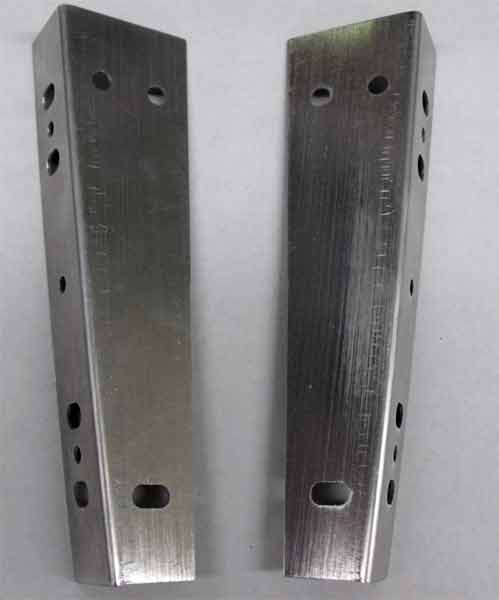
When you order your
PLP
case, and you request this bracket set, we will pre-install the
bracket and provide you with 4 rack mount screws. The bracket was
designed to fit on the flip down front of the
PLP case.
|
| Tricaster RPT 19
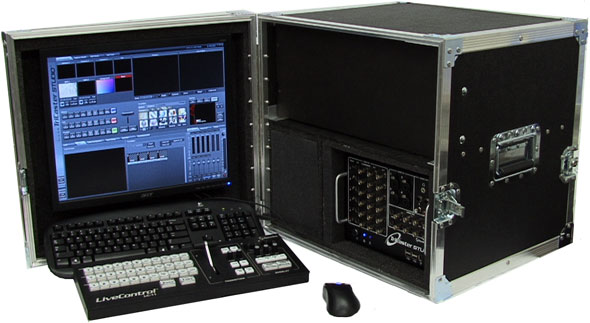
TriCaster RPT-19 19" LCD Monitor for TriCaster , TriCaster Pro , TriCaster
Studio, XD300 and 3PLAY
Includes a 4U rack Space
Retail Price $795.00 with 19" monitor (RPT-19)
$50 Flat Rate Shipping
(Continental
US)
When ordering please specify your TriCaster
Model as there are different size foam cutouts for different models
Request Studio for the Studio, Broadcast, XD300 and 3PLAY
Request Pro for the TriCaster and TriCaster Pro Models
|
|
Tricaster RPT 19 TallBoy
 ll ll
Tall Boy version has 6U rack
space
for TriCaster , TriCaster Pro , TriCaster Studio, XD-300 and
3PLAY
Retail Price $995.00 (RPT-19TB)
Flat Rate Shipping $75
(Continental
US)
When ordering please
specify your TriCaster Model as there are different size foam
cutouts for different models.
Request Studio for TriCaster Studio, Broadcast, XD300
and 3PLAY
Request Pro for TriCaster and TriCaster Pro Models
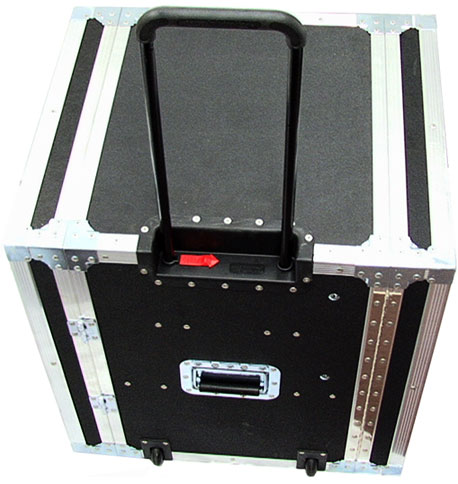
Pull out handle and wheels
included and installed with this case.
Key
advantages of the hard shell case:
-
Holds
Keyboard, mouse, VM Controller and Monitor
-
Monitor &
Keyboard stay connected allowing for faster setup and
breakdown on location.
-
Provides
superior protection to the
TriCaster over the soft cases currently available. Cases
are manufactured using of 3/8" plywood with ABS Laminate &
heavy duty recessed hardware. Perfect for Airline travel or
local rides in your car or van.
-
Each case
utilizes aluminum brackets to securely hold your TriCaster
in place.
-
Interior
foam to cushion additional accessories you may choose to
store inside your case.
Please
call 1 800 379 7267 to order today.
|
| |
Tricaster TCXD 850 Cases
Dual
Monitor Cases include two 24” LCD monitors
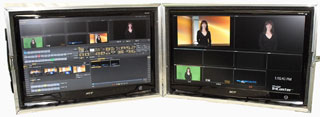
DM24 $995 Piano hinge
DM24XS $1070 Full open/ break-away hinge/metal
twist stands
$45 Flat Rate Shipping (Continental US)
Road Case for TCXD850
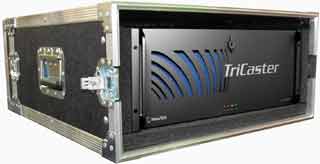
RC850
$695
$45 Flat Rate Shipping (Continental
US)
Additional Goodie! ----- This case
includes a extendable handle and wheel set.
Road Case
for CS850 Control Surface
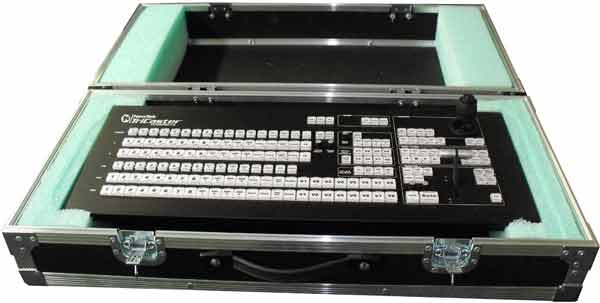
part # RCCS $595
$45 Flat Rate Shipping
(Continental
US)
**Please Note: This case utilized the original foam packing
from you CS purchase. If ordering case only please let us
know if you have retained these materials. IF NOT we will
manufacture foam inserts for your control surface and install
them in the case. Thank you.


